Other apps from MomentiumAn independent Momentium app
Web studio / OPEN FOR EXPLORATION
Ghost Studio
From reference to form.
Bring garment photographs into a visual study. Inspect the silhouette, refine the approximation and keep an editable project.
Web studio · visual garment studies, not calibrated fit
SMALL PROJECTS. REAL POSSIBILITIES.
See how a silhouette changes.
Explore one garment study from its source pair to a relaxed form and an editable collection.
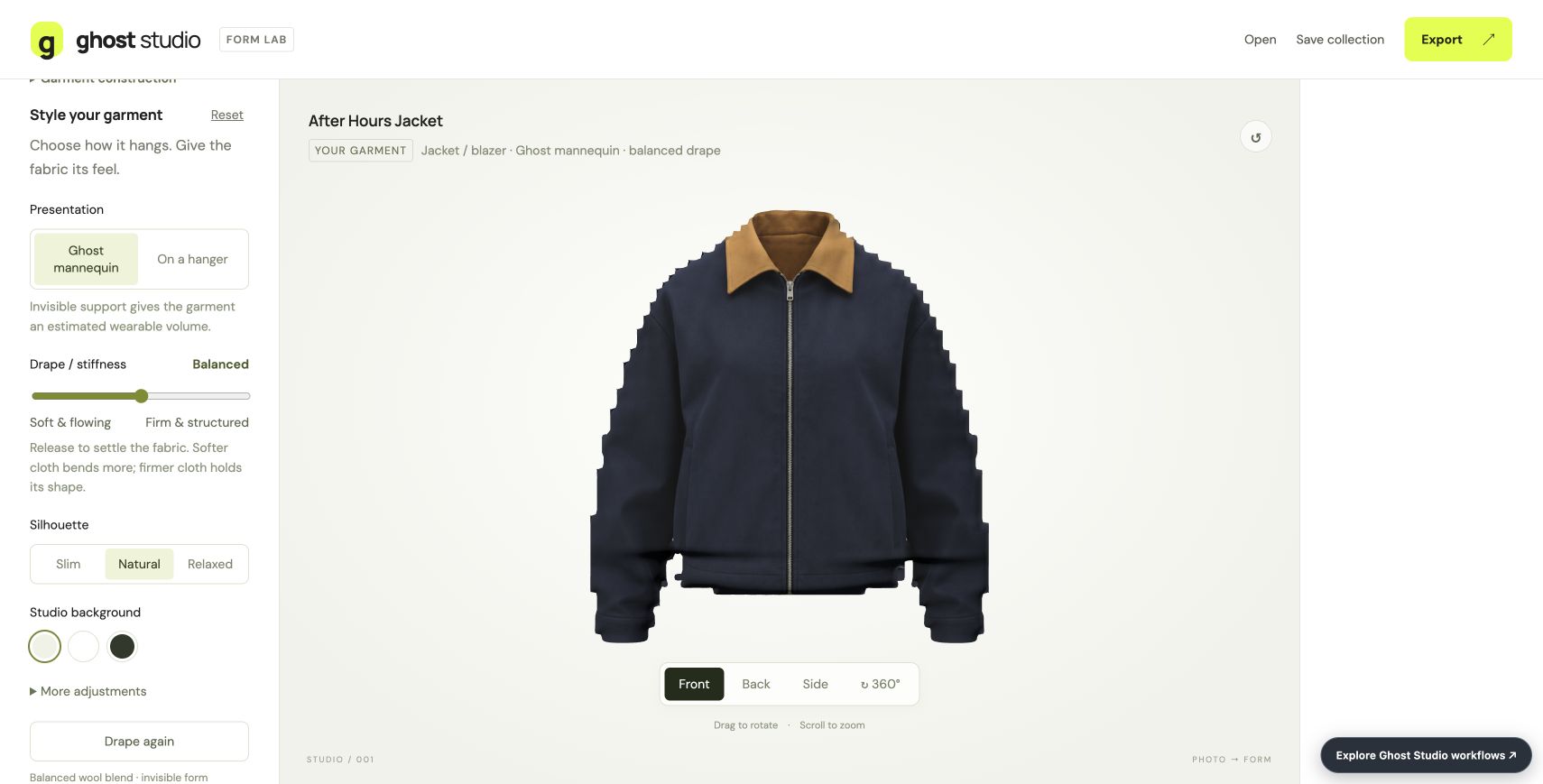
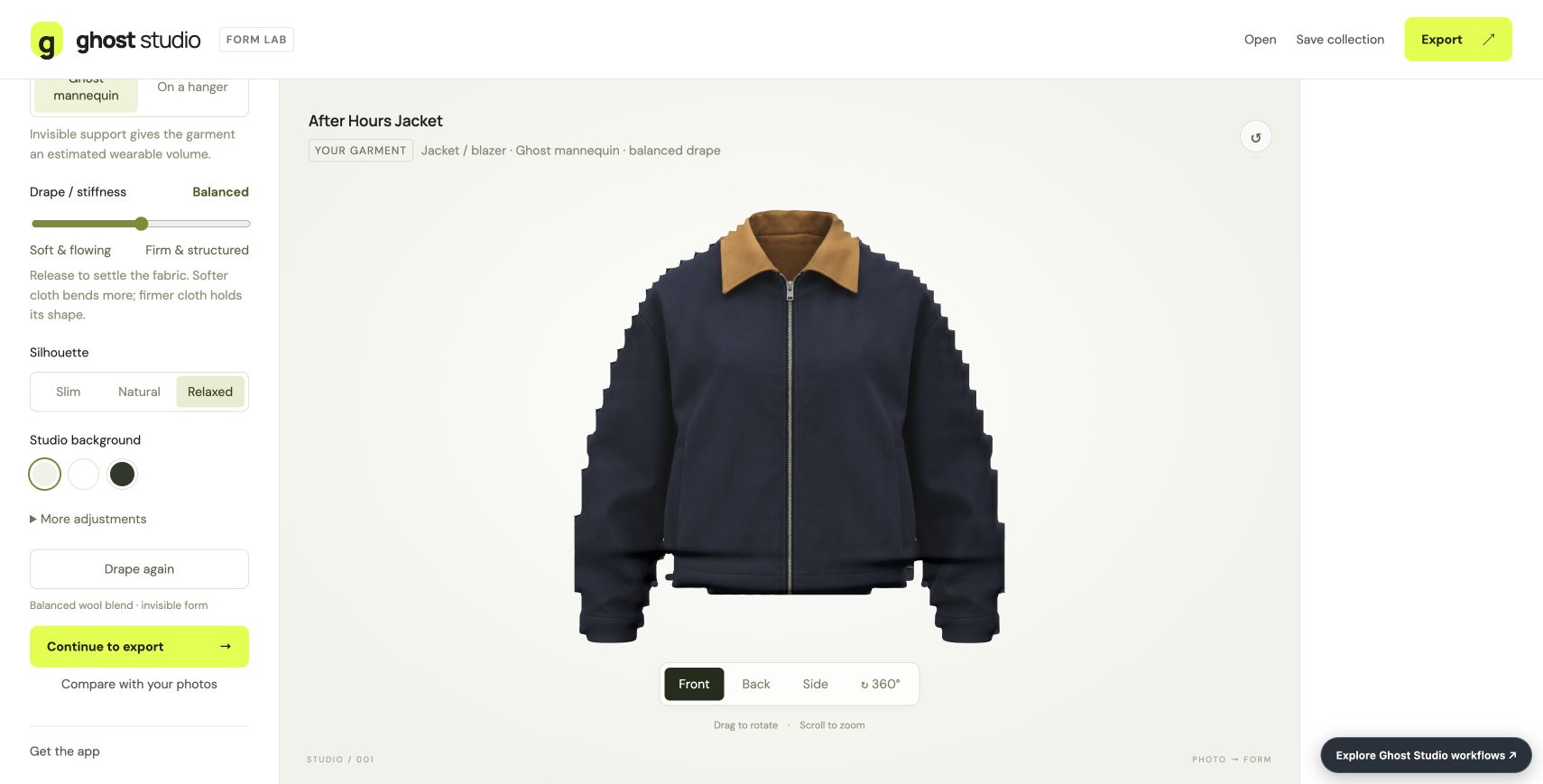
Compare two captured silhouette settings. These are visual estimates from photographs.
01 / 3 minutesStart with a coherent front and back
- Open the supplied collection and inspect both jacket references.
- Confirm that the front and back belong to the same item.
- Use the reference view while adjusting the generated study.
What you getA source pair you can keep checking as the model develops.
02 / 3 minutesGive the garment more room
- Compare Natural and Relaxed in the captured views.
- Change the silhouette in the live app and rotate the garment.
- Inspect the rear and side views as well as the front.
What you getA broader visual study. Hidden construction and fit remain estimates.
03 / 2 minutesKeep the model and its references
- Save the editable collection with both source images.
- Export the selected model as textured GLB.
- Reopen the collection before making another variation.
What you getA shareable 3D model and a project that retains the evidence behind it.
Open the .ghostbatch collection in Ghost to restore the paired references and settings.
Use the starter instructions to open an example in the app. The live workspace loads only when you launch it.
On a small screen, open the app in its own tab for the full workspace.
INSIDE GHOST STUDIO
What Ghost Studio can do.
Turn photo references into adjustable 3D garment and object studies.
19features to explore
Prepare the references
6 features
Photo collections
Import multiple PNG, JPEG, or WebP references and organize them into individual items.
Try this in an exampleReference pairing
Suggest front/back pairs from filenames or simple visual properties, then let the user confirm, swap, or reassign them.
Try this in an examplePhoto preparation
Crop, rotate, straighten, correct planar perspective, and gently balance broad shadows.
Background cleanup
Connected-color removal, erase/restore brushes, undo, and reset.
Precise manual cutouts
Trace a subject and cut interior openings while preserving the original image.
Garment categories
Support a broad range of tops, outerwear, dresses, trousers, skirts, swimwear, draped pieces, and custom silhouettes.
Shape the garment
4 features
Fitted garment construction
Adjustable body and sleeve panels, collars, open necks, and inferred cloth hoods for supported categories.
Presentation choices
Show garments on an invisible mannequin or a hanger.
Drape controls
Adjust stiffness, fabric preset, fullness, airflow, scale, and supported proportion controls.
Try this in an exampleReal cloth simulation
Run the local cloth solver and replay supported drape simulations.
Build & inspect the model
5 features
Photo Match
Overlay the mesh on its reference and adjust cross-sections; an optional side reference guides estimated depth.
Object construction
Thirteen categories, including chairs, phones, cars, buildings, toys/custom objects, tables, sofas, lamps, bottles, vases, bowls, and mugs.
Individual object parts
Change visibility, dimensions, position, and rotation while retaining photo textures.
Surface finish
Adjust roughness and metallic response.
Review tools
Rotate through 360°, compare references, and review inferred depth, coverage, strain, and corrections.
Try this in an example
Batch, export & recover
4 features
Batch generation
Process confirmed items with progress, stop/resume behavior, and per-item errors.
Exports
Embedded-texture GLB models, PNG images, and ZIP collections with model manifests.
Try this in an exampleEditable projects
Save and reopen garment projects and
Try this in an example.ghostbatchcollections containing references and settings.Recovery and offline use
Browser-local recovery drafts and an installable web experience.
AFTER HOURS / Ghost Studio / Web studio
Two references. A form to explore.
Bring a coherent front and back pair into a new collection, change the silhouette, and inspect the resulting jacket from both sides.
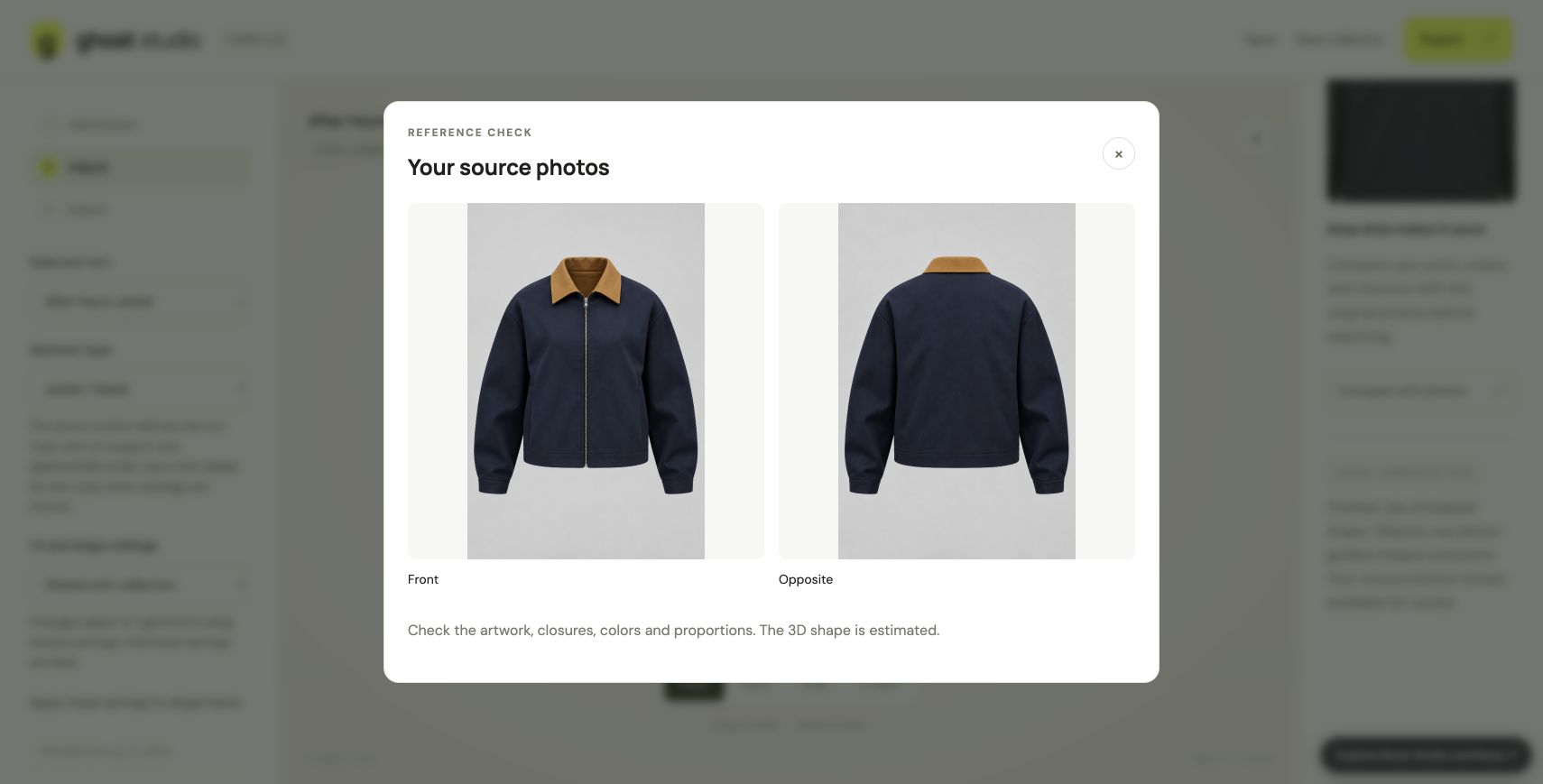
Start with both sides
An original AI-generated front and back pair establishes the midnight-blue jacket and amber collar. The source comparison keeps both references available.
Give the silhouette room
Changing Natural to Relaxed produces a broader form. The wool setting and stiffness of 50 remain in place while the app settles the drape.
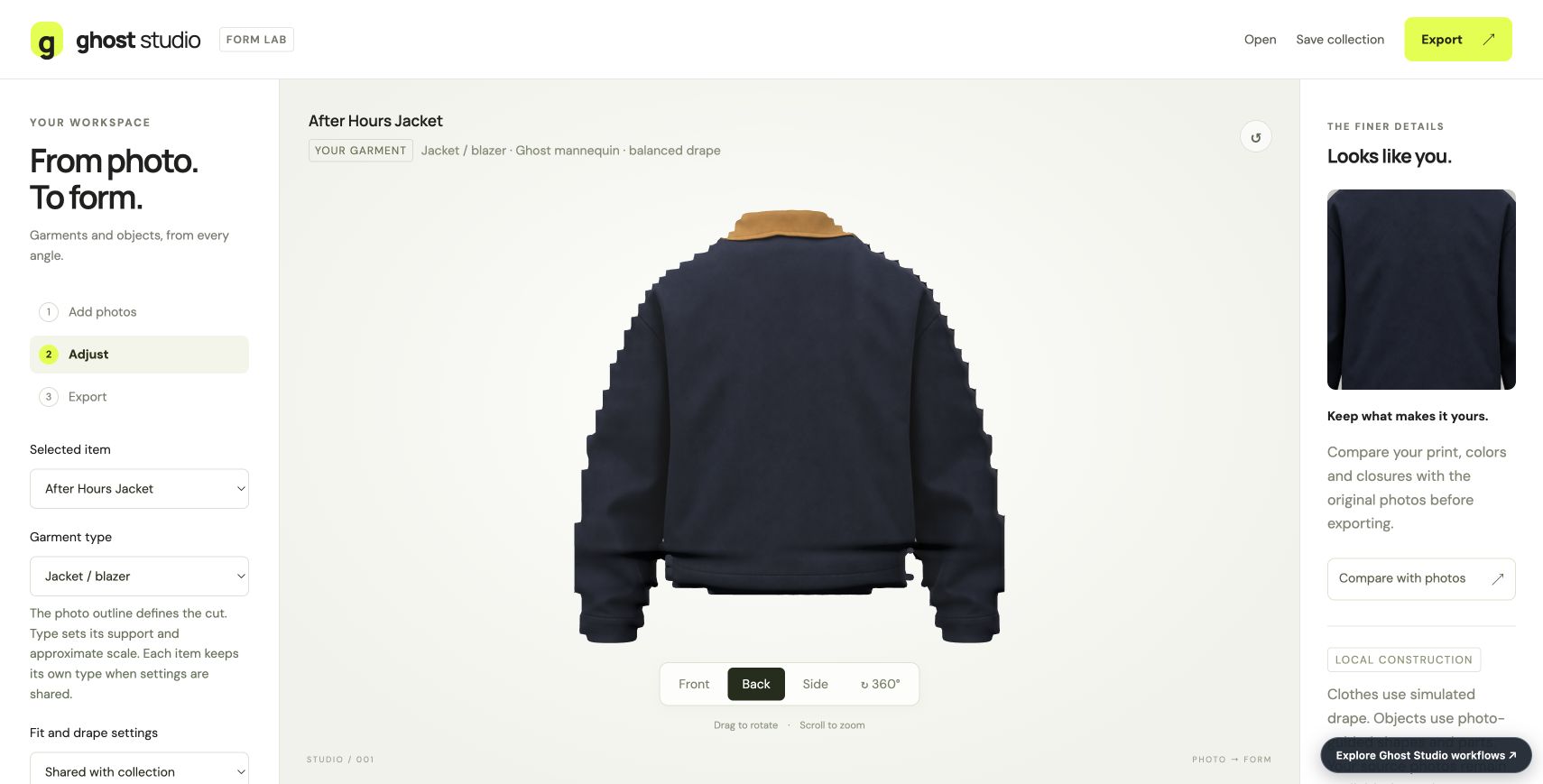
Look behind the form
The rear view exposes the back construction beside the supplied reference. The result remains an estimated visual study.
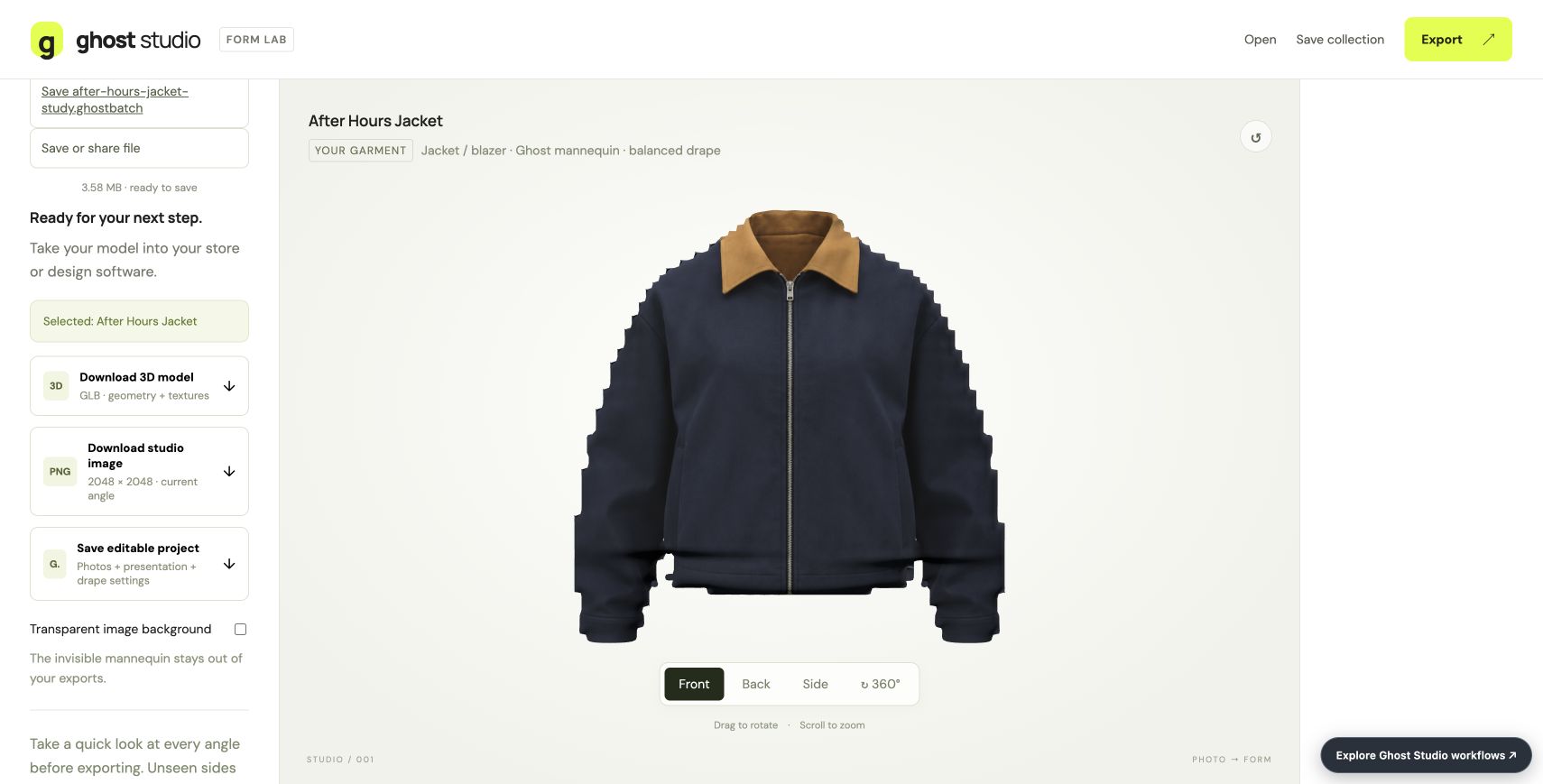
Keep the model and its source
The selected jacket exported to a textured GLB. The editable collection also retains the two original reference images and relaxed settings.
Actual browser session. The GLB contains five meshes; the editable archive passed integrity checks and its two images match the originals. The model has visibly stepped outline edges. Unseen sides and dimensions are estimates; this is not sewing-pattern or fit validation.
Web studio / WORKFLOW GALLERY
See Ghost Studio in motion.
Real sessions. Four useful moments. A closer look at what you can make.
Bring your references
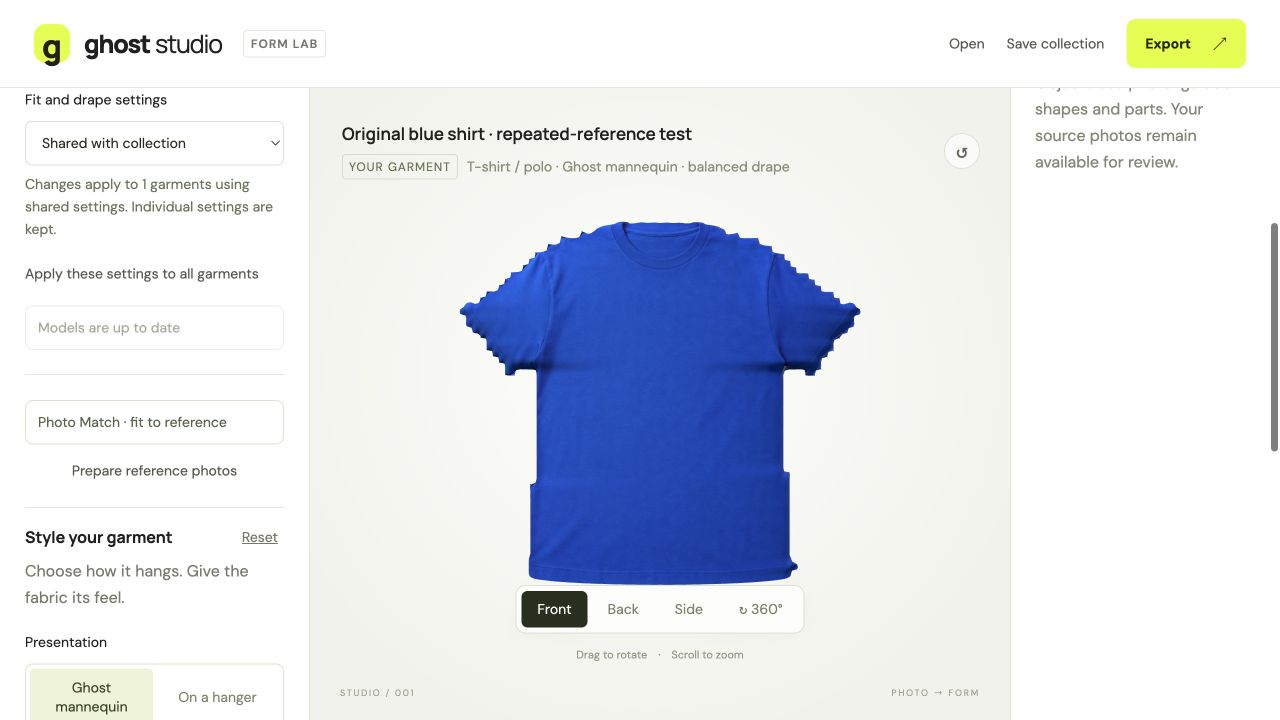
Start a visual garment study from reference photos.
Refine the form
Inspect the front view and refine the generated approximation.
Compare with the source
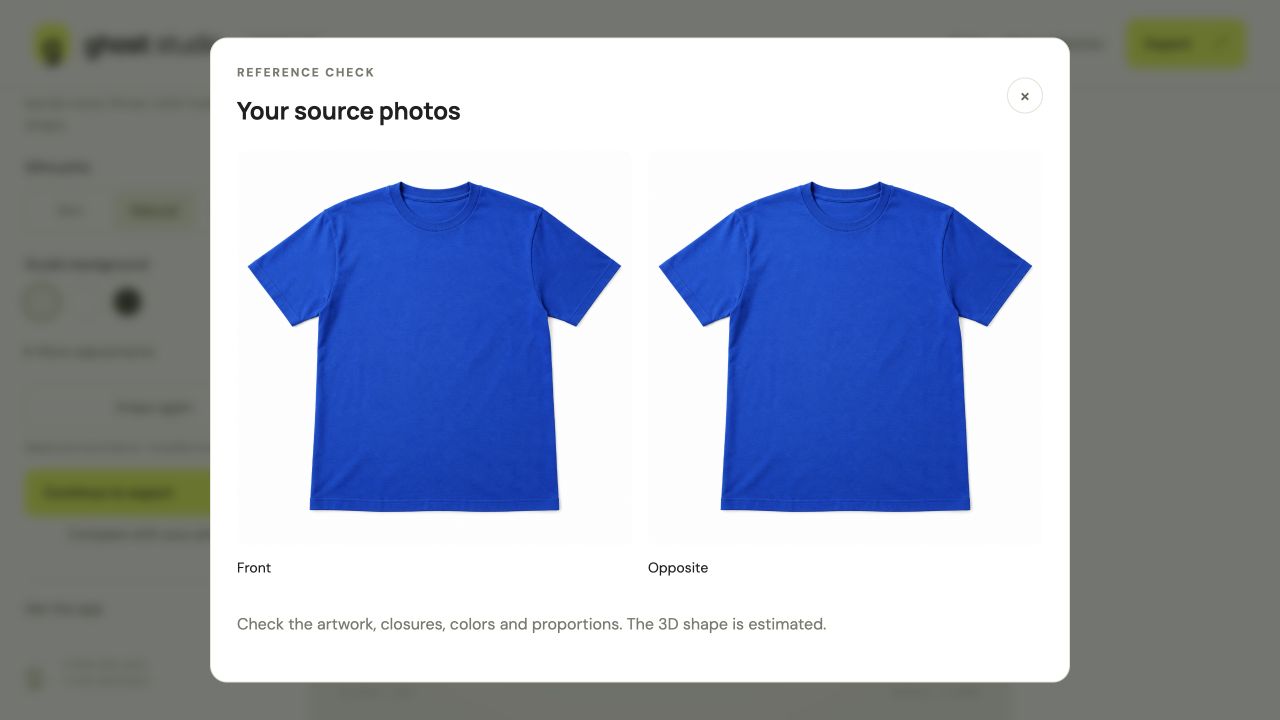
Check the photo references alongside the garment study.
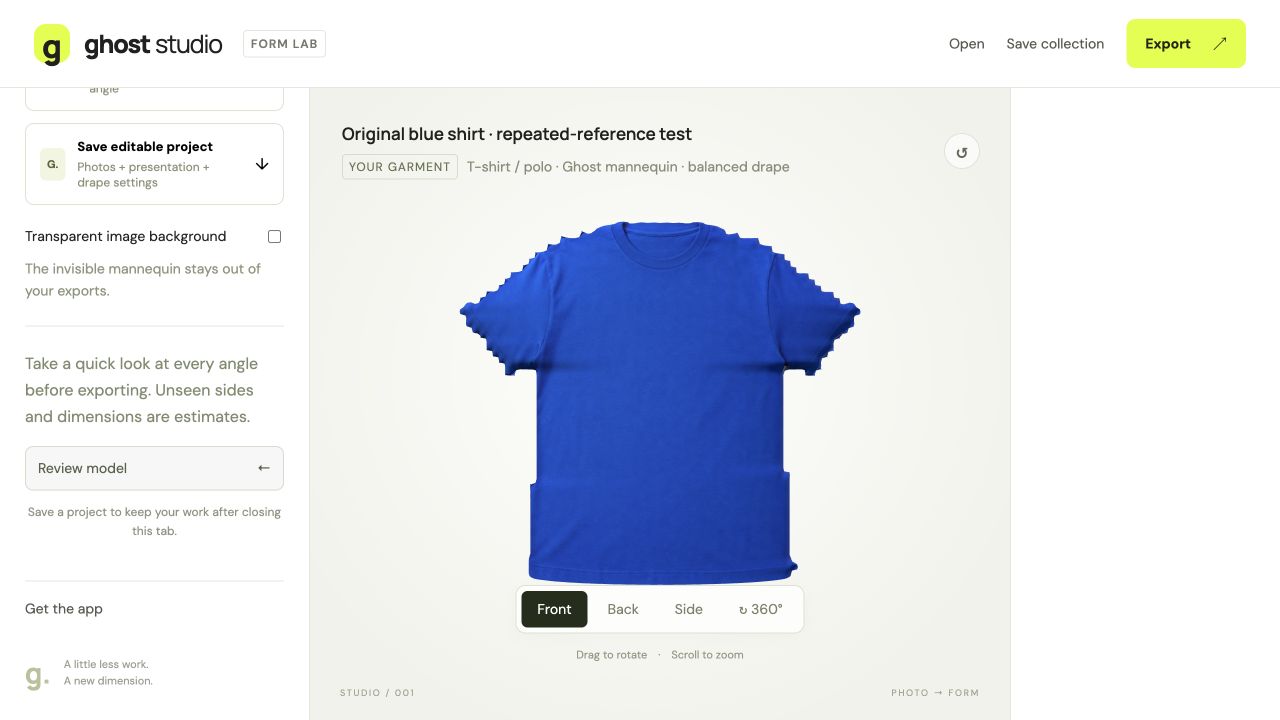
Take the study with you
Choose a GLB, preview image or editable project backup.
An original AI-generated front reference was reused for both photo slots in this demonstration. The resulting study is an approximation, not calibrated fit or an exact sewing pattern. Actual browser captures · September 29, 2026.